Switch macOS Spaces instantly, at your pace
Maccelerate is a free menu bar app that shortens the slide between your native macOS Spaces. Pick a speed, keep your shortcuts and gestures, and leave System Integrity Protection on.
Free · macOS 13+ · Apple Silicon & Intel · Notarized by Apple
 Notes
 Calendar
 Mail
 SafariNotesCalendar
Desktop 1
 MaccelerateYour Spaces. At your pace.
Illustrative timing, not measured.
Keep native Spaces. Spend less time in transitions.
Spaces are macOS’s own desktops. You add them in Mission Control, give full-screen apps their own, and move between them with ⌃← and ⌃→ or a three- or four-finger swipe. Every move plays the same slide, and on a busy day that slide is something you wait for dozens or hundreds of times.
Maccelerate keeps all of it: the same desktops, the same Mission Control, the same windows where you left them. It does not create workspaces of its own, it does not tile or move windows, and it is not a general “speed up your Mac” tool. It does one thing: when you switch to another Space, the transition finishes sooner.
It is based on InstantSpaceSwitcher by jurplel, which showed how to trigger macOS’s own Space switch without the long animation. Maccelerate adds speed presets, your macOS shortcuts, Cmd-Tab, Mission Control and Stage Manager options, an optional Space indicator and local statistics. The source is on GitHub under the MIT licence.
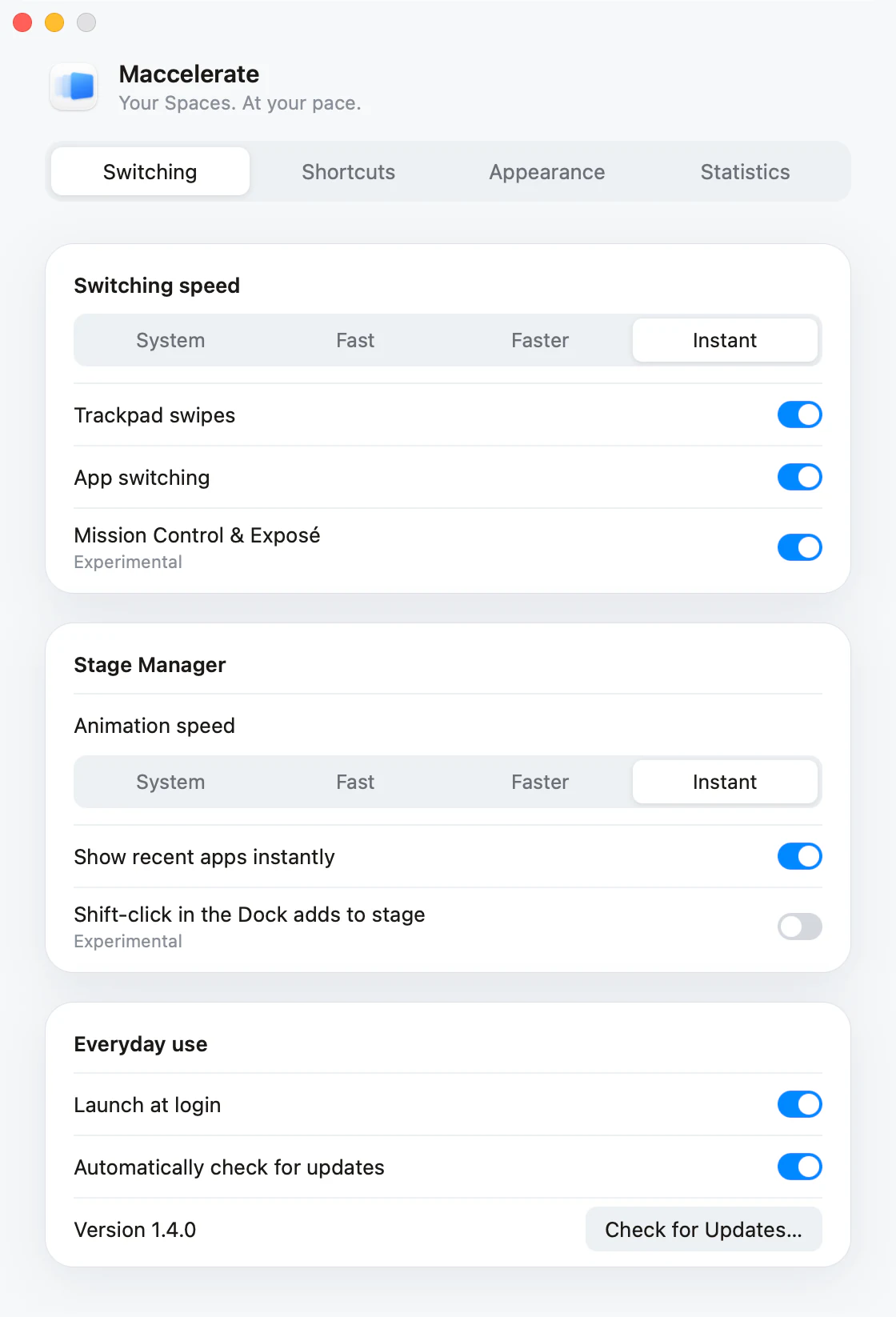
Choose Fast, Faster, Instant, or System
One switching speed applies to Space switches, trackpad swipes, app switching across Spaces and Mission Control. You can change it any time from the menu bar panel or the settings.
- Fast and Faster shorten the transition but still show the movement, if you like to see where you are going.
- Instant is the quickest preset: the Space appears almost at once. How fast exactly depends on your Mac and macOS.
- System (new in 1.5) leaves switching, swipes, Cmd-Tab and your macOS shortcuts to macOS. Your previous speed returns when you pick it again.
Keyboard shortcuts and optional trackpad gestures
With Accelerate macOS shortcuts on, the keys you already set in System Settings run at your speed: moving left and right, Switch to Desktop 1 to 10, Mission Control and App Exposé. Maccelerate reads those settings and never changes them. If you want more, additional shortcuts add your own combinations on top, including one that jumps back to the Space you used last. The Spaces shortcuts guide lists them all.
Trackpad swipes is a separate switch. When it is on, your usual swipe between Spaces uses the chosen speed; when it is off, swipes stay entirely with macOS. App switching speeds up Cmd-Tab when the app you pick lives on another Space, and only then; see Cmd-Tab across Spaces.
A menu bar panel with your Spaces
Click the menu bar icon to see your Spaces and the current speed, open Settings, check for updates or quit. The panel does not bring Maccelerate to the front, so your windows and stages stay as they are. An optional Space indicator can show where you landed in one of four styles: Card, Number, Dots or Tiles.
Set up Maccelerate in three steps
- 1
Download and open it
Open the DMG, drag Maccelerate to Applications and start it. The app is signed and notarized by Apple; no account or email is needed.
- 2
Allow Accessibility
macOS asks for Accessibility access so Maccelerate can recognise your shortcuts and swipes. It may also ask for Input Monitoring. You can revoke both in System Settings → Privacy & Security.
- 3
Pick a speed
Try Faster first, then Instant. Turn Trackpad swipes on if you switch by gesture. Choose System any time to compare with macOS on its own.
Permissions, supported Macs, and honest limits
- Builds: Maccelerate 1.5.0 is one signed, notarized universal DMG for Apple Silicon and Intel, targeting macOS 13 and later.
- Tested live: the 1.5.0 release notes name macOS 26.6 on Apple Silicon. Intel Macs, other macOS versions and display arrangements have limited live coverage.
- Permissions: Accessibility, and Input Monitoring if macOS asks. System Integrity Protection stays on.
- Undocumented behaviour: some of what Maccelerate does relies on private macOS APIs and settings, so a macOS update can change it.
- Local only: settings and statistics stay on your Mac; there is no telemetry. Update checks are optional and off by default.
Questions about instant Space switching
Does Maccelerate replace macOS Spaces?
No. Your desktops, full-screen apps and Mission Control stay the native macOS ones. Maccelerate shortens the transition between Spaces; it does not create workspaces of its own, and it does not move or tile windows.
Do I need to disable SIP?
No. System Integrity Protection stays on. Maccelerate needs Accessibility access to recognise your shortcuts and swipes, and macOS may also ask for Input Monitoring.
Does Instant mean every transition takes zero milliseconds?
No. Instant is the fastest of three presets, not a measured guarantee. How quickly a Space appears still depends on macOS, your display, the apps on that Space and the kind of switch. We have not benchmarked every configuration.
Keep your Spaces.
Lose the wait.
Free for macOS 13 and later, on Apple Silicon and Intel. No account, no telemetry, System Integrity Protection stays on.
Version 1.5.0 · Release notes · Free and open source, MIT licensed